) "Office Depott & OfficeMax")
) "Office Depott & OfficeMax")
 Sign up for
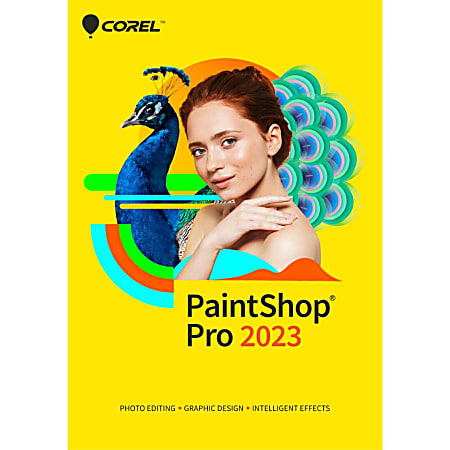
Corel PaintShop Pro 2023 - License - 1 user - ESD - Win - Multi-Lingual
Item #3004819
1 / 1
Description

- Layers and masks. Layers and masks are essential for advanced image editing, compositing and graphic design. Use multiple, non-destructive layers when editing images to create photo composites with ease. Create masks to hide or show parts of a layer, fade between layers, and to create special effects with precision.
- Portrait and retouching tools. Eliminate red-eye, blemishes, and unwanted lines, or smooth wrinkles, whiten teeth, and even out skin tones with makeover and retouching tools. Also, create professional-looking portraits with AI Portrait mode that automatically analyzes and applies a complimentary bokeh blur to the background of your image.
- Content-aware tools. Remove flaws, objects and distractions with the Object Remover or try content-aware editing tools, like SmartClone, Magic Move and Magic Fill, to automatically fill empty areas.
- Enhance photos with AI. Rely on artificial intelligence and machine learning technology to enhance images with one-click to instantly make every photo, the best photo.
- Time saving tools. Reduce repetition and accelerate complex photo-editing actions with scripts. Record a series of edits as a script to apply to any photo, anytime. Automate edits on multiple photos at once with batch processing like adding a watermark, picture frame, or simply resizing.
- Templates and creative content. Access a wide range of built-in templates to create collages, greeting cards, social media images, web banners, brochures, business cards and more. Work with various brushes, textures, patterns, and other in-product creative content - all ready for you to inspire new ideas and save time while producing next level designs.
- Add effects for impact. Experiment with hundreds of creative filters and fun effects to make your photos personal and original to share and print.
- Text tools. Add text to images to create interesting projects, like a meme or a picture quote. Adjust fonts, size, style, alignment, leading, and kerning with a complete set of typography tools.
- Choose from multiple workspaces. PaintShop Pro is all about selection and customization, offering multiple workspaces you can make your own to work most efficiently.
- Essential tools. Easily crop areas of your photo to alter the focus using composition guides, Golden Ratio and Rule of Thirds. Resize with ease using one of several presets, or resize by pixels, percentage or print size. Restore and repair old photos with the Scratch Remover and Fade Correction tools to enhance contrast and color to faded photos.
- Create graphics and designs. Work with intuitive text, brushes, textures, patterns, drawing, and painting tools to produce inspiring designs.
- AI-powered tools. Enlarge an image without unwanted distortion with AI Upsampling, quickly remove artifacts and noise from your photos with AI Artifact Removal or AI Denoise, stylize your photos with artistic effects using AI Style Transfer, and seamlessly replace the image background with AI Background Replacement.
- Instant effects. Preview a variety of preset photo effects such as Film Styles, Black and White, Landscape, Retro, Traditional, and Artistic, or stack multiple effects for even more impact. Browse hundreds of effects, including 3D, artistic, illumination and reflection, to add drop shadows and borders to images, or turn photos into a sketch or painting.
- Photo management. Preview, organize, and streamline your photo-editing workflow in PaintShop Pro's Manage workspace. Add keyword tags to your photos, create catalogs, make edits to multiple photos at once, and review metadata and file information.
- Selection and Correction tools. Isolate the area you want to select with a variety of Selection tools and enhance your selection with the Refine Brush. Automatically correct distortions, vignetting and chromatic aberrations in your photos with Lens Correction tools and use the Straighten tool to fix a crooked horizon, or the Perspective Correction tool to make a photo appear as though it was taken from a different angle.
- Extensive file compatibility. Easily import, save, and export in a variety of supported file formats so you won't experience any disruptions.
- Drawing, painting and fill tools. Paint with built-in brushes, or import Adobe Photoshop brushes to make your design ideas come true. Draw with vector illustration tools, and experiment with plenty of color palettes, gradients, patterns, and picture tubes to take your designs to the next level.
- Powerful photo editing tools. Depend on a versatile range of professional tools in this image editing software to make every shot, the best shot.
- One-click corrections, Depth of Field, and Selective Focus. Let One Step Photo Fix automatically apply color and sharpening corrections or use Smart Photo Fix to fine-tune settings for a perfect photo. Add a blur, play with depth of field in your photos, or apply bokeh effects to keep parts of the image in focus and the rest blurred. Or use Selective Focus for a Tilt-Shift effect, to make a life-sized image look like a miniature-scale mode.
- RAW, HDR, and 360° camera support. Advance your editing capabilities of RAW files using the pro-level tools of AfterShot Lab in PaintShop Pro. Combine several photos of the same scene with different exposures to create one stunning HDR photo. Edit photographs taken with a 360° degree camera by straightening a photo with rotation or make it appear leveled. Remove and automatically replace a tripod or produce an interesting "planet-like" effect.
- Edit photos like a pro. Edit, retouch, and correct your photography with a comprehensive toolset designed for all skill levels.
- Adjustment tools. Alter your photos using a wide variety of powerful adjustment tools, including Brightness and Contrast, Fill Light and Clarity, Fade Correction, White Balance, Hue and Saturation, Noise Removal, Vibrancy, Sharpening, color correction, and tonal levels and curves.
Related Products

Corel PhotoMirage (Windows)

CorelDRAW® Essentials 2021, For Windows®/Mac, Disc Download

Print Artist® Platinum 25
