Black Computer Monitors

Product ConditionIcon/Action/Minus
Adaptive Sync TechnologyIcon/Action/Minus
26 Results
Icon/Action/GridGridIcon/Action/GuidelinesList
Sort by:
26 ResultsIcon/Action/GridGridIcon/Action/GuidelinesList
Sort by:
HP - Series 3 Pro 27" FHD Monitor - 327ph - 1080p, 100 Hz, Speakers, VGA
Samsung - 27" IPS FHD Borderless Business Monitor (DisplayPort, HDMI, USB)
Item #8371897
Pickup unavailable
  • Delivery to 43085 | 1-3 business days
HP 524da 24" Class (23.8" Viewable) Full HD LED Monitor, Black
Acer® CB292CU 29" Ultra Wide FHD Monitor, FreeSync
Dell™ Video Conferencing S2722DZ 27" QHD Monitor, AMD FreeSync
Samsung S27A804UJN 27" Class 4K UHD LCD Monitor - 16:9 - 27" Viewable - In-plane Switching (IPS) Technology - 3840 x 2160
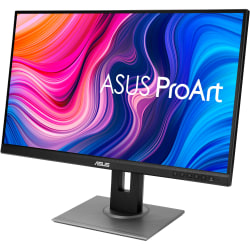
Asus ProArt PA278QV 27" WQHD LCD Monitor
Item #9544045
  • Delivery to 43085 | 1-3 business days
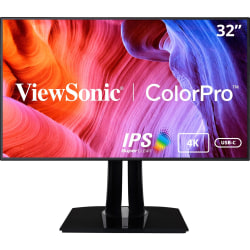
ViewSonic® VP3268a-4K 32" ColorPro 4K UHD IPS Monitor
Item #5568091
  • Delivery to 43085 | 1-3 business days
TUF VG34VQL1B 34" WQHD Curved Screen LED Gaming LCD Monitor - 21:9 - Black - 34" Class - Vertical Alignment (VA) - VG34VQL1B
ViewSonic VG3457CV 34" Class Webcam UW-QHD Curved Screen LED Monitor - 21:9 - Black - 34" Viewable - Vertical Alignment (VA) - VG3457CV
ViewSonic® VG2755 27" FHD LED LCD Monitor
Item #8332700
  • Delivery to 43085 | 1-3 business days
Asus VA27DQSB 27" Full HD LCD Monitor
Item #6006744
  • Delivery to 43085 | 1-3 business days
Dell® P1917S 19" SXGA LCD Monitor
Item #8565690
Pickup unavailable
ViewSonic VX3418-2K 34" 21:9 1440p 1ms 165Hz Gaming Monitor with FreeSync Premium, Eye Care, HDMI, DisplayPort and USB - VX34182K
ViewSonic® VP2756-4K 27" Premium IPS 4K HD Ergonomic Monitor
Dell® UltraSharp U2422H 23.8" HD LCD Monitor
HP P34HC G4 34" WQHD Curved Screen LCD Monitor
Item #7074540
  • Delivery to 43085 | 1-3 business days
ViewSonic TD2760 27" 1080p Ergonomic 10-Point Multi Touch Monitor with RS232, HDMI, and DP, TD2760
Philips P-line 439P1 - LED monitor - 43" (42.51" viewable) - 3840x 2160 4K @ 60 Hz - VA - 400 cd/m² - 439P1
ViewSonic® VG2456 24" 1080p IPS Docking Monitor
Item #6066628
  • Delivery to 43085 | 1-3 business days
ViewSonic® VP2768a 27" ColorPro 1440p IPS Monitor
Item #7588633
  • Delivery to 43085 | 1-3 business days
Acer XF250Q 24.5") Full HD LCD Monitor - 16:9 - Black - Twisted Nematic Film (TN Film) - LED Backlight - DisplayPort - UM.KX0AA.C01
ViewSonic VP2776T-4K 27" 4K UHD IPS Monitor With Advanced Ergonomics
Lenovo ThinkCentre Tiny-in-One 27 - LED monitor - 27" (27" viewable) - HDMI, DisplayPort- black - 10YFRAR1US
12Next

What Is the Best Computer Screen?

The best computer screens offer high performance to help support you in work or play. Whether you are looking for an additional screen to boost work productivity or for a high-resolution monitor for gaming, the best computer screens include the features you need. While most monitors feature speakers, some monitors with speakers offer additional watts for extra power, which can be ideal for improved sound quality for gaming or entertainment— looking for a more interactive monitor experience? Touch screen monitors can be an excellent option for gamers or designers, allowing them to swipe and navigate easily.

Monitors with Speakers

Touch Screen Monitors

How Much Does a Good Computer Monitor Cost?

Computer monitors can range in price, depending on what features you require. No frills computer monitors can start as low as the $100 price range stretching up to the $1,000 range for specialty monitors. Several new computer monitors are available from top brands and can be further filtered by monitor features, display technology, resolution, and more. IPS monitors, also known as “In-Plane Switching monitors,” are also available for purchase, providing extra-wide viewing angles.

New Monitors

IPS Monitors

What Is the Best Hz for a Monitor?

PC monitors come in various refresh rate options, measured in Hz (Hertz). Refresh rate and Hz refers to the number of images displayed per second when the monitor refreshes. Monitor refresh rates can start as low as 60 Hz and stretch up to 240 Hz, but how do you know which one you need? If you’re looking to use your monitor for simple tasks like internet browsing, then a lower amount of Hz should suffice. However, if you’re a gamer or graphic designer, you’ll want to invest in a monitor with a higher Hz amount.

144 Hz Monitors

240 Hz Monitors

Choose 2 to 4 Items to Compare