) "Office Depott & OfficeMax")
) "Office Depott & OfficeMax")
 Sign up for
 VESA Mountable Computer Monitors


 Delivery to 43085 | 1-3 business days


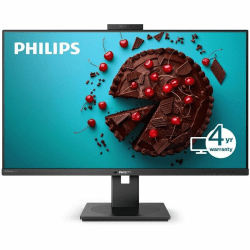

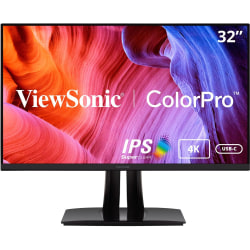
- Delivery to 43085 | 1-3 business days


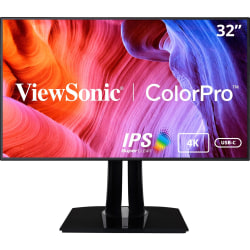


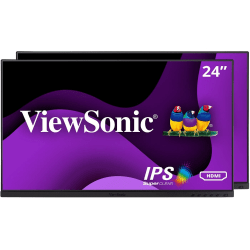
- Delivery to 43085 | 1-3 business days


Related Products

LG 32BN50U-B 32" Class 4K UHD LCD Monitor

ViewSonic® CDE7512 75" 4K UHD Commercial Display Monitor

Atdec Spacedec SD-POS-HA Point of Sale Monitor Arm

Philips 329P1H 31.5" Webcam 4K UHD LCD Monitor
What Is the Best Computer Screen?
The best computer screens offer high performance to help support you in work or play. Whether you are looking for an additional screen to boost work productivity or for a high-resolution monitor for gaming, the best computer screens include the features you need. While most monitors feature speakers, some monitors with speakers offer additional watts for extra power, which can be ideal for improved sound quality for gaming or entertainment— looking for a more interactive monitor experience? Touch screen monitors can be an excellent option for gamers or designers, allowing them to swipe and navigate easily.
How Much Does a Good Computer Monitor Cost?
Computer monitors can range in price, depending on what features you require. No frills computer monitors can start as low as the $100 price range stretching up to the $1,000 range for specialty monitors. Several new computer monitors are available from top brands and can be further filtered by monitor features, display technology, resolution, and more. IPS monitors, also known as “In-Plane Switching monitors,” are also available for purchase, providing extra-wide viewing angles.
What Is the Best Hz for a Monitor?
PC monitors come in various refresh rate options, measured in Hz (Hertz). Refresh rate and Hz refers to the number of images displayed per second when the monitor refreshes. Monitor refresh rates can start as low as 60 Hz and stretch up to 240 Hz, but how do you know which one you need? If you’re looking to use your monitor for simple tasks like internet browsing, then a lower amount of Hz should suffice. However, if you’re a gamer or graphic designer, you’ll want to invest in a monitor with a higher Hz amount.